See Reordinal in action.
A walkthrough of how a single LinkedIn Easy Apply role goes from a crowded applicant list to a ranked, reviewed shortlist your team can act on.
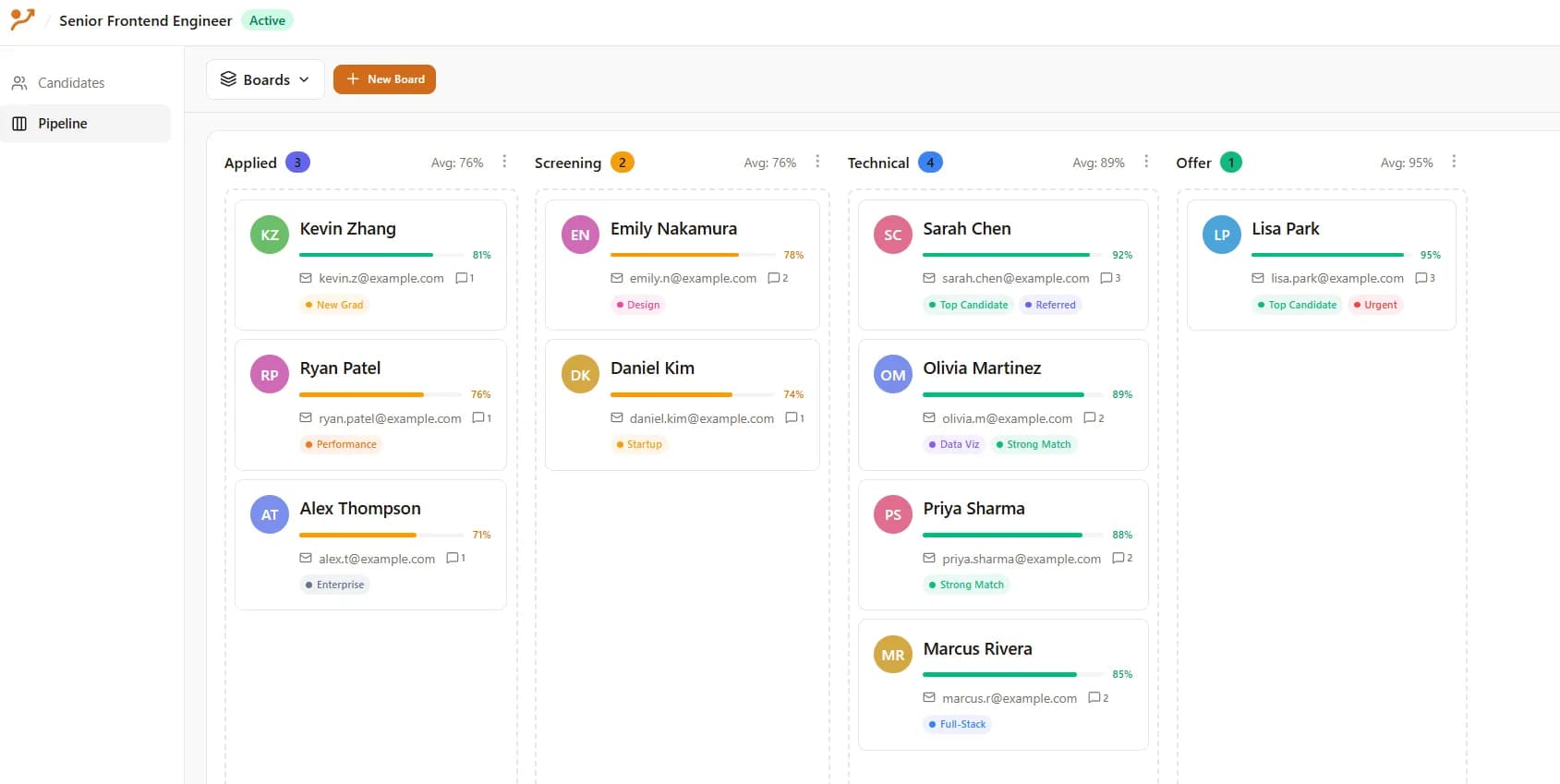
Visual Pipeline
Move candidates effortlessly through your hiring stages
What this walkthrough covers
- LinkedIn import. Use the Chrome extension to pull resumes and screening answers from a LinkedIn Easy Apply applicant list into a Reordinal job.
- AI review. Each candidate gets a summary, fit score, criteria match, strengths, gaps, and suggested interview questions tied to your job description.
- Team collaboration. Reviewers add comments and ratings, override AI scores when they disagree, and shortlist candidates together.
- Decision history. Every note, vote, and shortlist decision stays attached to the role for the next time you hire for something similar.
Built for sensitive hiring workflows.
Reordinal is designed for teams reviewing real candidate data.
- No LinkedIn password required
- Manual import from workflows you control
- Candidate data is not sold
- AI supports review, not final hiring decisions
- Human judgment stays in control
- Team access and permissions
- Data export available
Have a live LinkedIn role with too many applicants?
Start with one job in Reordinal.