How it works
Sign in to Reordinal once; the extension picks up your session automatically. On your LinkedIn job's applicants page, toggle the overlay: every candidate card gets a checkbox and a status pill, so you can see who is new and who is already in your pipeline.
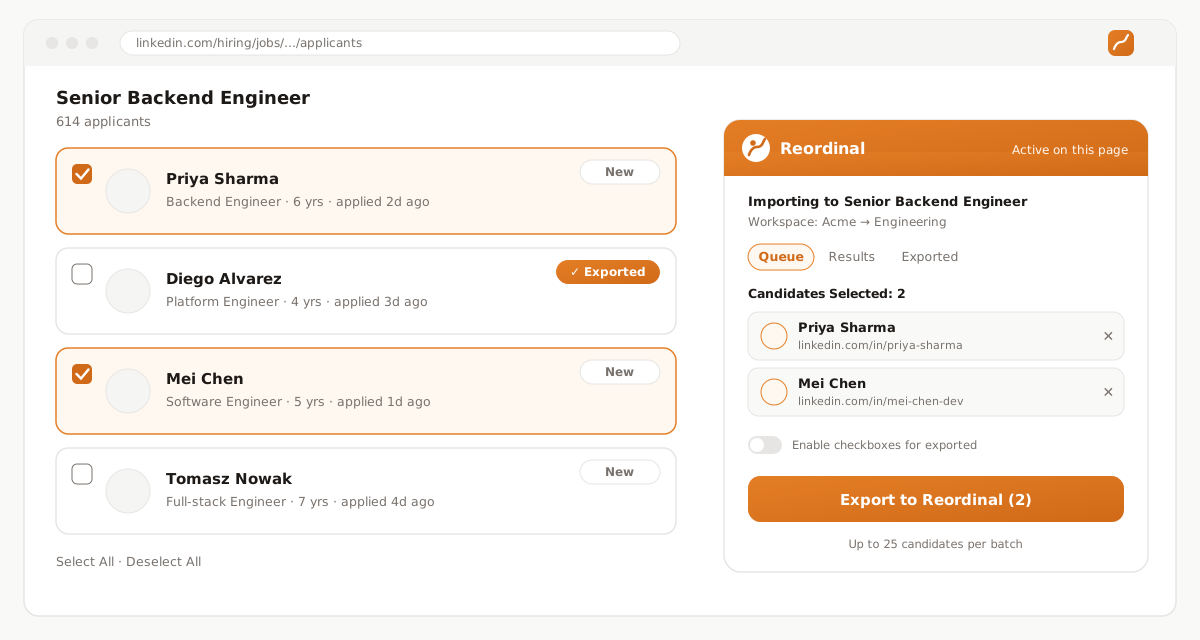
Select the candidates you want (up to 25 per batch, unlimited batches), pick the Reordinal job they should land on, and hit Export. The extension grabs each candidate's resume PDF and screening answers and uploads them to your workspace, where parsing and ATS scoring run automatically.
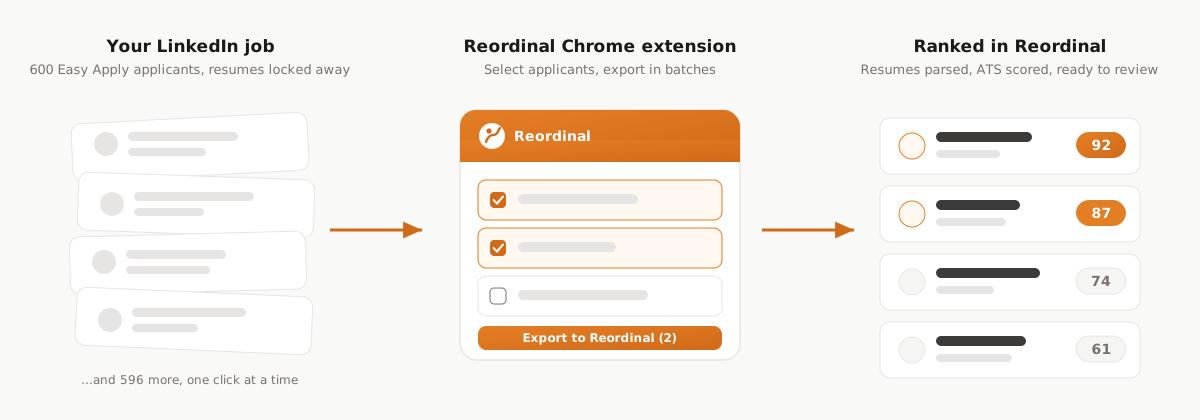
Want the full walkthrough? Read the step-by-step guide.
What gets imported
Each selected applicant comes over with their name, LinkedIn profile URL, the actual resume PDF (not a link that dies), screening question answers with ideal-answer matching, and a best-effort profile photo.
Duplicates are detected automatically: already-exported candidates are marked on the LinkedIn page itself, so week-by-week triage of a long-running post needs no bookkeeping.
Once imported, candidates behave like any other application: resumes are parsed into skills and experience, ATS scoring ranks them against your job’s criteria, and your team reviews them together. And everything exports back out: any job downloads as a CSV or Excel file with screening answers and resume links, free on all plans.
Safe by design
The extension reads the LinkedIn pages you are already authorized to view, as yourself. It never asks for, sees, or stores your LinkedIn password; it authenticates to Reordinal through your existing session.
Exported data goes to your Reordinal workspace and nowhere else, and you can remove the extension from Chrome at any time.